Windows Update services and patches
An update is any file or collection of software tools which solves a system weakness and improves performance. An example of this is Windows Update. Windows provides a service whereby a user has can download updates. For example, security updates or critical updates are often provided by Windows to protect against vulnerabilities to malware and other security exploits. Some other updates could be to correct errors unrelated to security such as, providing additional functionality or improve system performance.
In regards to Microsoft they routinely releases security updates on the second Tuesday of each month. However they can provide them whenever a new update is urgently required to prevent a newly discovered threat which is targeting Windows users. System administrators can configure Windows Update to install critical updates automatically. However, this is dependent upon whether the computer has an Internet connection. This has the advantage of the user not needing to install them manually, or even be aware that an update is required.
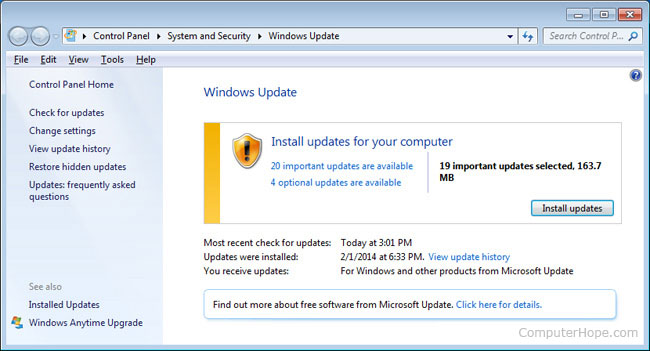
To get to Windows Update go to: Control Panel>System and Security>Windows Update
Windows is not the only operating system that provides updates. There are lots of systems that employ updates. For example, in February 2016 Apple released an iOS 9.3 update. However this proved problematic for some Apple users as there were complaints that this update caused some older versions of the phones and tablets to require the IDs and passwords previously used to set them up. Some complained that their machines had become unusable as they had forgotten or did not know the details. Consequently Apple released a subsequent update.
What is a Patch?
A patch is a file of programming code that is inserted into an existing executable program to fix a problem or a bug. Patches are designed to provide an immediate solution to a particular programming problem. This is often available to be downloaded from the website of the software vendor. However, it must be noted that patches are used as temporary solutions until the inherent problems can be permanently repaired.
Software updates and patches are always tested before being released to computer users. This is to ensure that that the update or patch will behave in the way in the manner it was set out to do. When downloading an update or a patch it is important that you use trusted sources, and try to avoid open-source upgrades. You could inadvertently download malicious software onto your system and this could have repercussions later on.
Blaster Worm
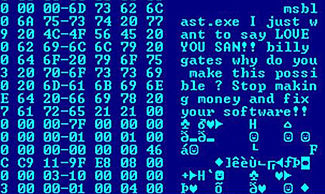
In 2003 a virus known as the, “Blaster Worm” targeted Microsoft platforms. The worm attacked computers by exploiting a security flaw with Microsoft operating system. The virus would enable any Microsoft operating system to reboot every 60 seconds; on some computers, the worm caused an empty welcome screen. The virus could spread itself automatically to other machines by transmitting itself mainly through emails. At the time Microsoft worked quickly to provide a “quick fix” to the problem and released a software patch to resolve the security issues. At the time Microsoft were urging its internet users to go to their website to download the software patches (MS03-026 and MS03-039). The irony was this proved difficult for their users as infected computers would reboot itself 60 seconds after being turned on.










0 comentarios